
Table of Contents
How to store cryptocurrency?
These days, Storing cryptocurrency securely is the critical point and everybody is holding a digital coin in the realm of cryptocurrency
Safe cryptocurrency investment must be at the top of your priority because in times there were exchanges are facing struggle (Poloniex), Initial coin offerings (ICOs) are being hacked (Dashcoin), and wallets are being breaches (Parity).
If you hold a big amount of cryptocurrency in one exchange, then be careful and it is NOT SAFE.
In 2014, one of the biggest exchanges of that time, Mt. Gox, was hacked and had a loss of 650.000 Bitcoins. Hundreds and thousands of people who were holding coins just lost all the coins in a few seconds. Finally, there is no guarantee that this won’t happen again. So, you should store them in a safe and secure place.
Cryptocurrency is stored on the blockchain so, just like banks have an account name and number cryptocurrencies have a wallet on the blockchain.
When it comes to cryptocurrency, two types of wallets digital wallets and hardware wallets are used to store your cryptocurrency safe. A digital wallet refers to an electronic device that allows you to make an electronic transaction (it is also called an e-wallet). Digital wallet services work through apps on the smartphone. A hardware wallet stores the public and private keys that can be used to receive and spend the cryptocurrency.
In every Hardware wallet, it has a public and private address, A Public address is where you can receive tokens/ altcoins and Private address is a key to accessing your wallet or to send altcoin/ tokens.
Now, Let’s have a look at hardware wallets that keeps your cryptocurrencies safe and secure.
HARDWARE WALLETS: How to keep your cryptocurrency safe?
Right now, there are three types of hardware wallets that are ruling the market:
1. Trezor – Hardware wallet
2. Ledger Nano S. – Hardware wallet
3. KeepKey – Hardware wallet
Trezor – Hardware wallet
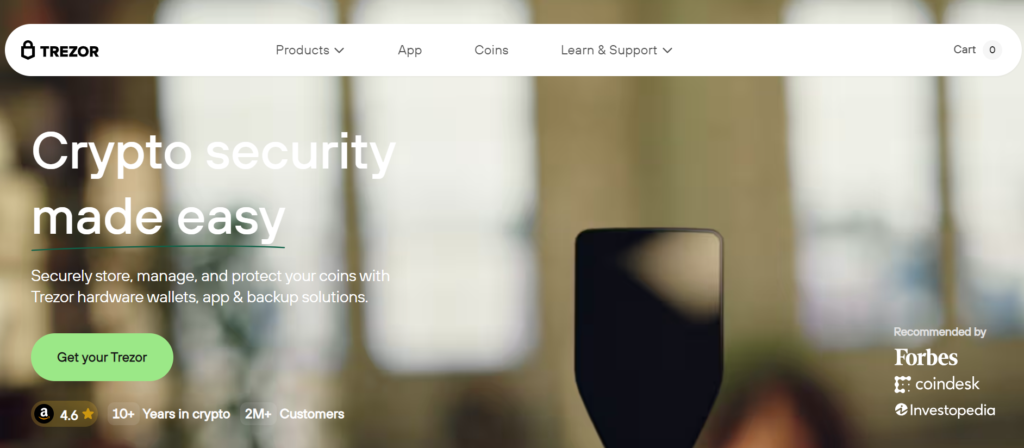
Trezor is a Prague-based company. They have built one of the easiest and simplest hardware wallets ever. It has a sleek design that you carry it around with you very comfortably. Trezor is compatible with Linux, Windows, and Mac OS and to use it you can simply plug in the USB drive to your laptop and connect to your chosen interface. You can download the Trezor wallet from https://wallet.trezor.io/#/
Pros:
It is very simple to use.
Very sleek design.
This device can never expose your private key.
It randomly generates pin code that keeps the device safe and secure.
Can be used on Windows, Linux, and Mac OS.
Utilize your secret words to rapidly recover access to all your keys, cash, history, accounts.
Cons:
Charges you $99 which is bit costly.
Ledger Nano S
Ledger is a Paris based company. It is one of the most popular Hardware wallets in the world of cryptocurrency and it saves your data within a smart card and protects us from malware and hackers. If you want to use this Ledger, you have to simply plug it into your laptop. Ledger can be reused once it been lost.
You can use Ledger to transact in Bitcoin, Ethereum, Ethereum Classic, other altcoins and Ethereum Tokens.
Pros:
As compared to Trezon, Ledger is compatible with more software interface.
It is very easy to set up.
It just cost $65.
It has a very simple interface.
Can be easily carried.
Ledger Nano S has U2F support.
Security card of a Ledger makes a unique code for each transaction and spares you from malware and programmer assaults. Security card can be lost in the event that it isn’t kept safely.
Cons:
Security card can be lost if it is not kept securely.
Does not have an ability to create hidden accounts.
The Pin code is generated only one time and advise to use an only private computer which is protected from malware.
KeepKey
KeepKey was launched in 2015, it is a secure hardware wallet. It provides access to the world’s leading cryptocurrency. KeepKey uses one of the most advanced technology to provide a user’s a security. KeepKey can be thought of as a miniature computer designed specifically for storing private keys.
KeepKey is affordable to every user who is looking for both security and value.
Pros:
Attractive design.
Security features.
Multi-currency supports.
An affordable to every user.
Cons:
KeepKey requires third-party software addon.
It is less portable than Trezor or Ledger.
It can’t save setup progress.
Hardware wallets are the best and safest option for cryptocurrencies and not only they keep your fund safe and secure but it also makes your transaction simpler. It’s little expensive but in the end, it’s gonna be worth it and you’ll witness the advantages for it.
It’s always Better to be Safe than Sorry!